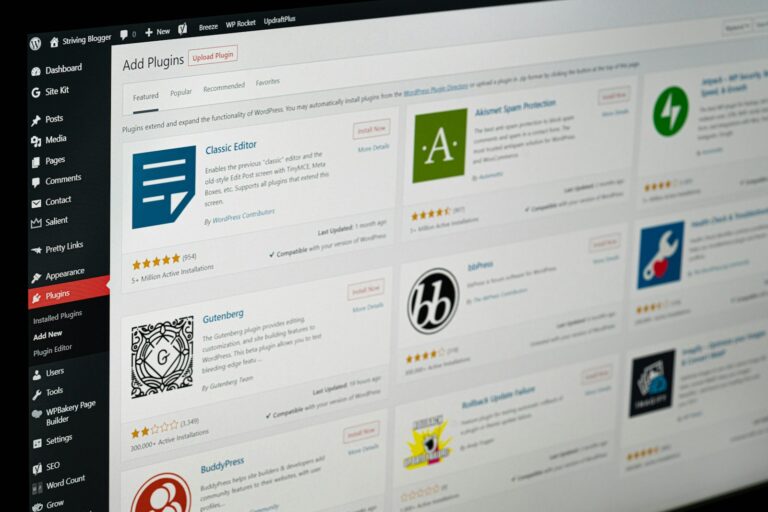

Your church website hasn’t been updated in three years. The design looks like it’s from 2015. Members complain it’s hard to find information. New visitors bounce away within seconds. But before you panic and call the first web designer you find, take a breath.
A website redesign is one of the most important digital decisions your church will make—and one of the easiest to get wrong. Studies show it takes about 0.05 seconds for users to form an opinion about your website, and those first impressions carry over to how people perceive your church as a whole.
The difference between a successful redesign and a costly mistake often comes down to planning. Here’s what every pastor needs to know before starting a church website redesign project.
When It’s Time for a Redesign (vs. Quick Fixes)
Not every website problem requires a complete overhaul. Sometimes a simple refresh can solve major issues without the time and cost of a full redesign. Before committing to a redesign, honestly assess whether you need structural changes or just content updates.
Clear signs you need a full redesign:
- Your site isn’t mobile-friendly or loads slowly on phones
- The navigation structure confuses visitors trying to find basic information
- Your current platform makes it difficult or impossible to update content
- The design looks significantly outdated compared to other organizations in your community
- You’re missing essential features like online giving, event registration, or sermon archives
Signs you might just need a refresh:
- Content is outdated but the structure works well
- Design feels slightly dated but isn’t broken
- You need to add specific features but the foundation is solid
- Loading speed could be improved with optimization rather than rebuilding
The cost difference matters. A complete custom redesign can range from $15,000 to $35,000 for larger churches, while a refresh might cost a fraction of that. Simple redesigns using updated templates can range from $1,000 to $4,000, depending on customization needs.
Setting Realistic Budgets and Timelines
Church website projects fail most often because of unrealistic expectations around time and money. Here’s what you actually need to plan for:
Budget considerations beyond the obvious: Basic church website costs start around $1,000 to $4,000 for template-based designs, but that’s just the beginning. Factor in ongoing costs like hosting, maintenance, content creation, and training. Professional maintenance typically runs $50 to $200 per month, depending on your site’s complexity.
Timeline realities: Redesign timelines vary significantly based on complexity and your church’s involvement. Template-based redesigns might take 1-3 months, while custom builds can require 3-6 months or longer. The timeline depends heavily on how quickly your team can provide content, feedback, and approvals.
Hidden time costs: Many churches underestimate the internal time required. Someone from your team will need to spend several hours per week on content creation, review meetings, and decision-making. Preparing content before design begins can significantly speed up the process.
Seasonal considerations: Plan your launch carefully. Avoid going live during high-traffic seasons like Easter or Christmas when website problems could impact your biggest ministry opportunities. Summer often provides the best window for major website changes.
Content Strategy: What to Keep, Update, and Scrap
Content decisions make or break website redesigns. Too many churches focus on design while neglecting the words and information that actually serve visitors.
Start with a content audit: Review every page of your current site. Outdated content makes your church appear neglected and untrustworthy. Create three lists: content to keep as-is, content to update, and content to eliminate entirely.
Prioritize visitor needs over member preferences: Your website should exist primarily for new visitors, not just existing members. Ask yourself: if someone had never heard of your church before, what would they need to know to plan a first visit?
Essential pages every church website needs:
- Clear service times and location (prominently displayed)
- “New Here” or “Plan a Visit” section
- Simple explanation of beliefs (without denominational jargon)
- Staff information and contact details
- Children’s ministry information for parents
- Online giving capability
Content to eliminate:
- Event announcements from previous years
- Staff bios for people who no longer work at your church
- Lengthy historical information about your building
- Incomprehensible denominational statements of faith written for theologians, not seekers
- Internal church business that doesn’t help visitors
Writing for your audience: Avoid “Christianese” and insider language that alienates newcomers. Write as if you’re explaining your church to a neighbor who’s never attended any church. Test your content with people outside your congregation to ensure clarity.
Choosing the Right Team: In-House vs. Professional
The team you choose for your redesign will largely determine its success. Each approach has distinct advantages and risks.
In-house development (using staff or volunteers): Pros: Lower upfront costs, complete control over timeline, intimate knowledge of your church Cons: May lack professional design skills, time-intensive for already busy staff, limited technical expertise, no ongoing support structure
Professional church website companies: Pros: Experience with church-specific needs, professional design quality, ongoing support, understanding of ministry priorities Cons: Higher upfront investment (typically starting around $6,500 for custom work), less direct control over every decision, requires clear communication about expectations
Hybrid approach: Many successful projects combine professional design with internal content management. A professional handles the technical build and design while your team manages ongoing content updates.
Red flags when choosing professionals:
- Companies that don’t show examples of recent church websites
- Promises of “unlimited” features or revisions
- Reluctance to provide clear timelines and costs upfront
- Generic business approaches that don’t understand church-specific needs
- No ongoing support or maintenance plans
Questions to ask potential partners:
- How many church websites have you completed in the past year?
- What’s your typical timeline from start to launch?
- How do you handle content migration and SEO preservation?
- What training do you provide for ongoing content management?
- What happens if we need changes after launch?
Avoiding Common Redesign Mistakes
Learn from the expensive mistakes other churches have made:
Starting with design instead of strategy: Many churches jump straight into picking colors and layouts without defining clear goals. Start with questions like: Who is this website for? What do we want visitors to do? How will we measure success?
Forgetting about mobile users: Roughly half of all internet traffic comes from mobile phones. Your redesign must prioritize mobile experience, not treat it as an afterthought.
Overcomplicating navigation: Complex menu structures frustrate visitors trying to find basic information. Keep main navigation to 5-7 clear categories maximum.
Ignoring SEO during the redesign: Changing URLs, page titles, and site structure can tank your search engine rankings if not handled properly. Ensure your redesign team understands SEO preservation.
Launching without testing: Test your new site thoroughly across different devices and browsers before launch. Check all forms, links, and interactive features. Have people outside your team try to complete common tasks like finding service times or making a donation.
Neglecting staff training: The most beautiful website fails if your team can’t update it. Budget time and money for proper training on your new content management system.
Managing the Redesign Process
Successful redesigns require active project management, not passive waiting for completion.
Assemble your internal team: Designate a point person who can make decisions quickly. Include representatives from different ministries who understand various content needs. Establish clear communication channels and decision-making authority.
Plan for content creation: Creating a content spreadsheet with page names, updated text, and image needs prevents delays. Don’t wait until the last minute to write new content or gather photos.
Prepare for photography: Use professional photos of actual church members rather than stock photos. Plan photo shoots during services and events to capture authentic community interactions.
Set up regular check-ins: Schedule weekly or bi-weekly meetings with your design team. Review progress, provide feedback promptly, and address issues before they become major problems.
Plan your launch strategy: Don’t just flip a switch and hope for the best. Announce the new site to your congregation, update your printed materials, and monitor for any issues during the first few weeks.
Launch Strategy That Minimizes Disruption
A smooth launch protects your digital ministry during the transition.
Soft launch approach: Consider launching your new site to a limited audience first. Test with staff, volunteers, and a small group of tech-savvy members before going fully public.
Communication timeline:
- Two weeks before: Announce the upcoming change to your congregation
- Launch week: Send reminders about the new site and highlight key improvements
- Two weeks after: Follow up with any additional training or information
Technical considerations: Ensure proper redirects from old pages to new ones to preserve search rankings. Test all critical functions like online giving, event registration, and contact forms multiple times.
Backup plan: Keep your old site accessible (perhaps at a subdomain) for a few weeks in case critical issues arise with the new design.
Measuring Redesign Success
Know how you’ll determine whether your investment was worthwhile.
Track these metrics before and after launch:
- Average time visitors spend on your site
- Bounce rate (percentage who leave immediately)
- Online giving completion rates
- Contact form submissions
- Mobile traffic and engagement
Ministry-focused measurements:
- Visitor information requests
- Event registrations through the website
- Sermon downloads or views
- New visitor follow-up conversions
Long-term success indicators:
- Staff satisfaction with content management
- Decreased support requests for website help
- Positive feedback from first-time visitors
- Sustained traffic growth over 6-12 months
Moving Forward with Confidence
A website redesign is a significant investment, but it’s also an opportunity to align your digital presence with your ministry goals. Smart churches prepare for ongoing redesigns rather than treating websites as one-time projects.
The key is approaching the process strategically rather than reactively. Start with clear goals, plan thoroughly, choose your team carefully, and manage the project actively. When done well, a church website redesign doesn’t just improve your online presence—it enhances your ability to welcome visitors, serve members, and fulfill your mission in the digital age.
Don’t let the complexity overwhelm you. With proper planning and realistic expectations, your new website can become one of your most effective ministry tools for years to come.